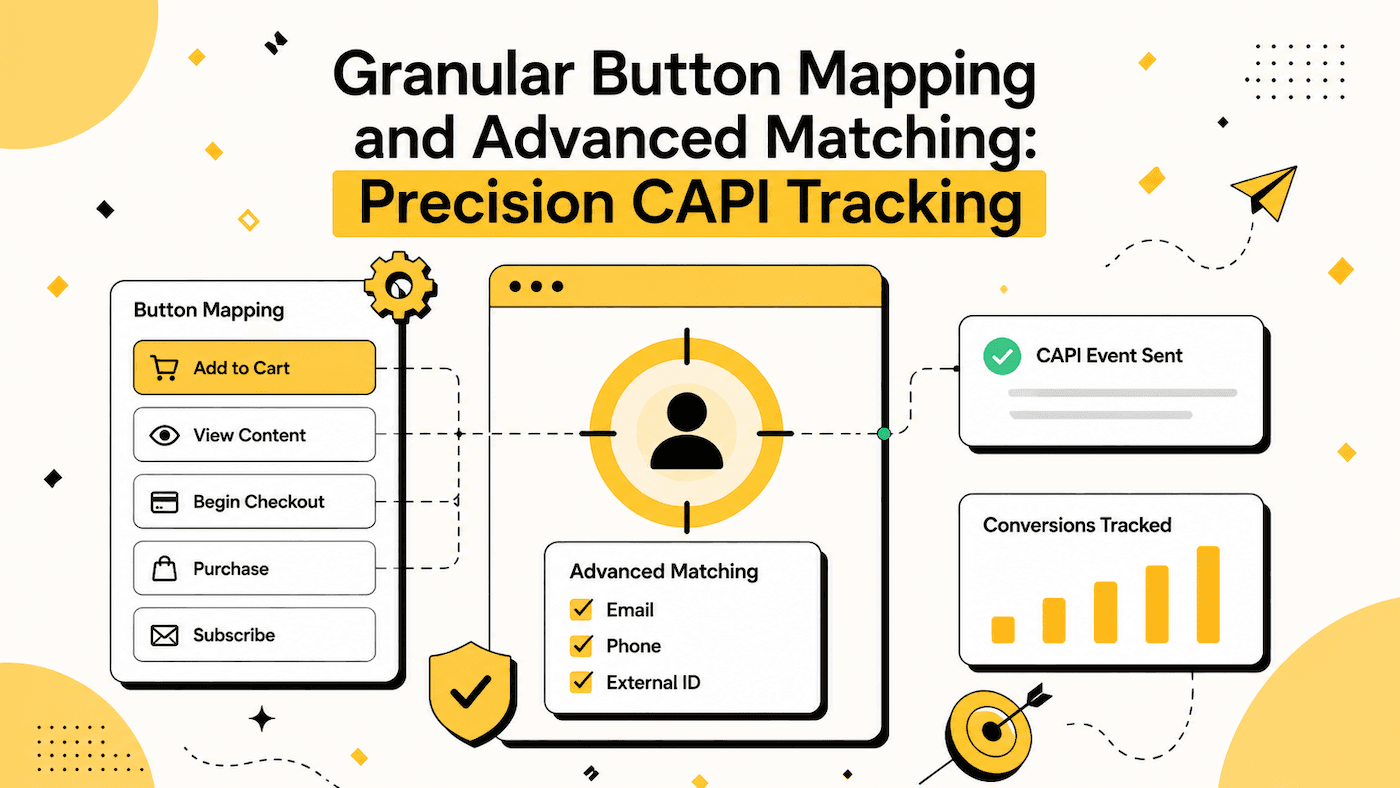
Most conversion tracking is blunt. You wire up a pixel, fire one event when the form is submitted, and hope the ad platform figures out the rest. But a real lead funnel has more than one meaningful moment, and treating every submission the same way throws away the signal that actually lowers your cost per lead.
Collectform is a lead form platform built for paid traffic, so this kind of precision is native, not an add-on. Two features handle it: granular button mapping and advanced matching field mapping. Together they let you send the right conversion event, for the right action, with the match quality that Meta and TikTok reward. Both build on the server-side CAPI we shipped in V2.
The problem with one-event-per-form tracking
Imagine a qualification funnel. Some respondents book a call. Some request a quote. Some just download a guide. If all three fire the same Lead event on submission, your ad platform can't tell a booked call apart from a guide download, so it optimizes toward the cheapest, lowest-intent action, not the one that grows your business.
And even when you do fire the right event, it's only as useful as the data attached to it. If Meta or TikTok can't match your conversion back to a real person who saw your ad, the event barely counts. That's where these two features come in.
Granular button mapping: the right event for the right action
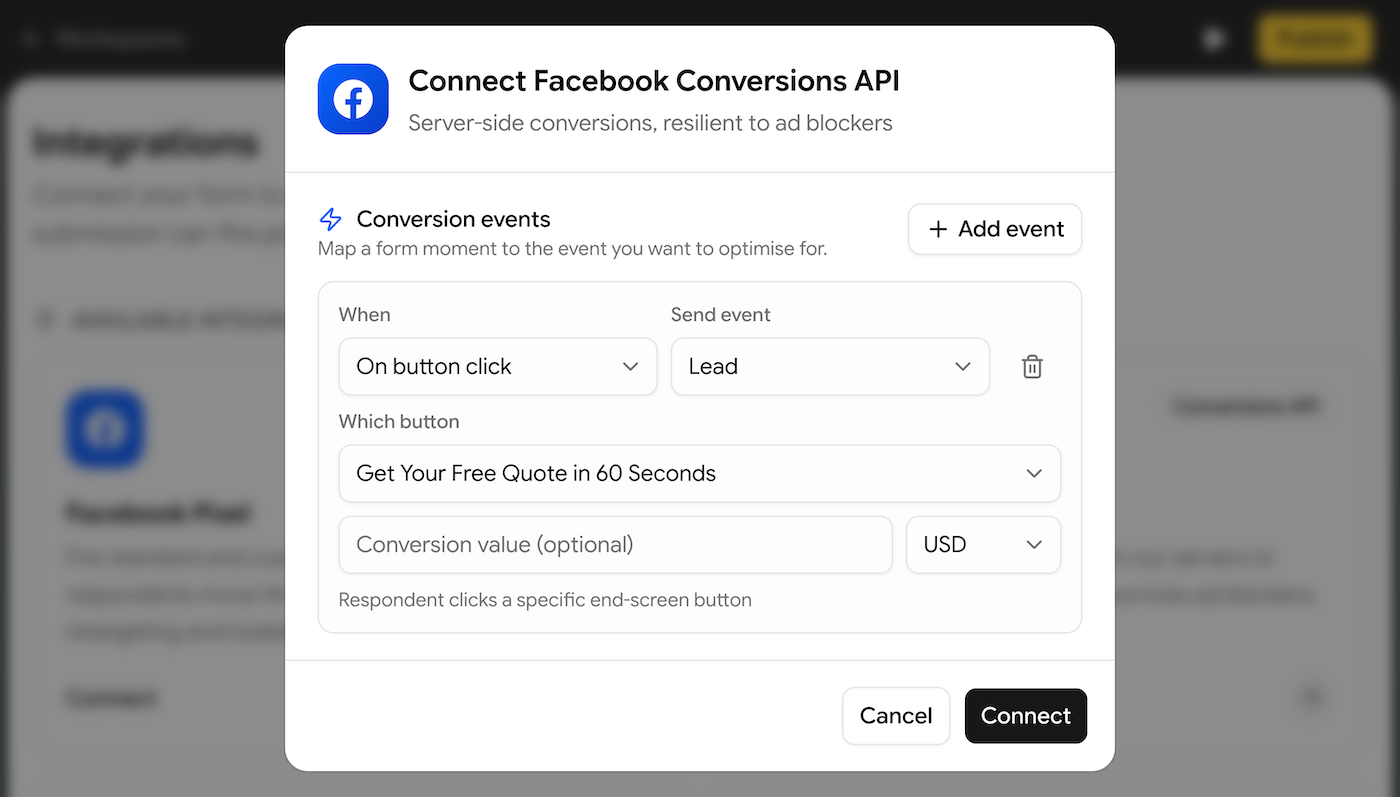
Granular button mapping lets you fire a specific conversion event when a specific button in your funnel is clicked, instead of one generic event for the whole form.
Because every Collectform funnel is a conversational, one-question-at-a-time experience, each step has its own button. Now you can map any of those buttons to its own Meta or TikTok event:
- The button on your qualified-lead step fires
Lead - Your "Book a call" step fires
Schedule - Your pricing or checkout step fires
InitiateCheckoutorPurchase - A newsletter step fires a custom event like
NewsletterSignup
You choose from the full set of Meta standard events (Lead, Contact, CompleteRegistration, SubmitApplication, Schedule, Subscribe, StartTrial, Purchase, and more), their TikTok equivalents, or any custom event you name. Each event can carry its own value and currency, so a booked demo can be worth more to your optimizer than a top-of-funnel download.
The result: Meta and TikTok stop guessing. They learn which clicks lead to revenue and bid toward the people most likely to take that exact action.
Advanced matching field mapping: better match quality, lower CPL
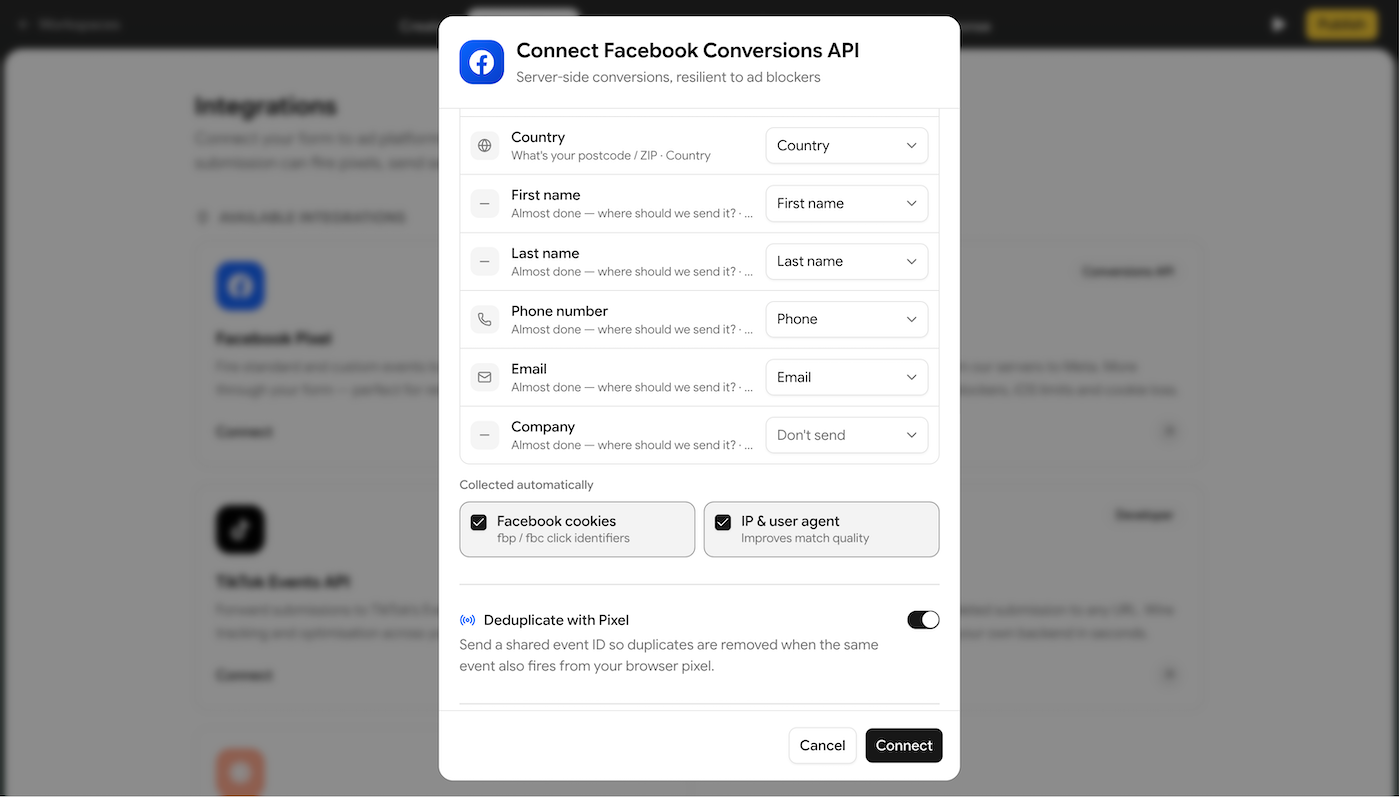
Firing the right event is half the job. The other half is making sure the ad platform can match that event back to a real user. That's what advanced matching field mapping does.
You map the fields your respondents already fill in to the matching parameters Meta and TikTok use for attribution:
- Email and phone, the strongest signals
- First name, last name, city, state, zip, country
- Date of birth, gender, and external ID
Every value is hashed with SHA-256 before it leaves the server, so you improve attribution without ever sending raw personal data to the ad platform. Meta supports the full range of parameters; TikTok matches on email, phone, and external ID. On top of the fields you map, Collectform automatically forwards the signals that boost match quality, the _fbp / _fbc and _ttp / ttclid cookies plus the IP address and user agent, so your events arrive with the richest possible match set.
Higher match quality means more of your conversions are attributed, which means the optimizer has cleaner data and your cost per lead drops.
Better together
The two features compound. Granular button mapping tells the platform what happened; advanced matching tells it who it happened to. A Schedule event on your "Book a call" step, enriched with a hashed email and phone, is a precise, high-value, well-matched signal, exactly the kind Meta and TikTok optimize hardest around.
And it all stays honest:
- Deduplicated by default. Every server-side event shares an event ID with its browser pixel counterpart, so the pair is counted once, never double.
- Consent-aware. Both the pixel and the CAPI events are gated behind GDPR-ready one-click cookie consent. Nothing marketing-related fires until the visitor opts in.
- Server-side reliable. Because CAPI sends events directly from Collectform, iOS privacy changes, ad blockers, and cookie restrictions can't quietly delete your conversions.
How to set it up
- Connect Meta CAPI or TikTok CAPI in your funnel's Integrations tab with your pixel or dataset ID and access token.
- Add a conversion event and choose when it fires: on form view, on form start, on submission, or on button click.
- For an on button click event, pick the exact step in your funnel whose button should fire it, then choose the event to send.
- Map your fields to advanced matching parameters under customer information: email, phone, name, and the rest.
- Publish. Events fire server-side, deduplicate against your pixel, and show up in Meta or TikTok Events Manager.
Precision is the point
Generic tracking gives your ad platform a foggy picture and asks it to optimize anyway. Granular button mapping and advanced matching field mapping hand it a sharp one: the exact action that matters, tied to a real, matchable person, sent reliably from the server, and deduplicated against your pixel.
That's how performance lead forms actually lower your cost per lead.
Both features are included on every paid plan, because Collectform is the lead form platform for paid traffic: lead forms with server-side tracking, deduplication, and advanced matching, built in. Explore templates or start building with Collectform.