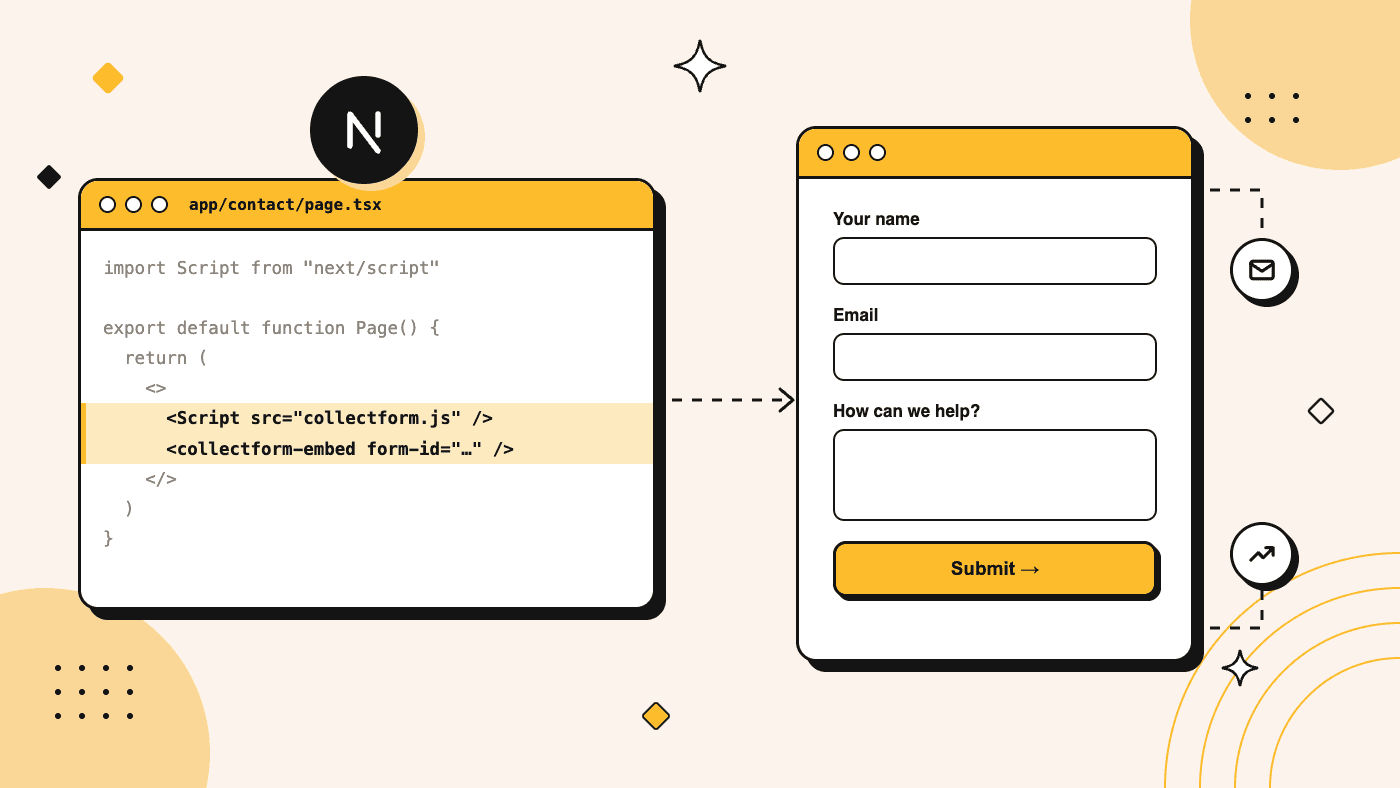
A Next.js contact form is 82 lines of code.
I counted. I built one in a fresh Next.js 16.4.5 app, following the docs: a Server Action and Zod for validation, plus Resend to send the email. That took three files, two new packages, one API key, and a verified sending domain before the first message could go out.
Then I built the same form with Collectform. Two lines.
I run Collectform, so weigh this accordingly, but here is my claim: if a form sits on a public page, if marketing will want to change it, or if ad spend points at it, the best Next.js contact form is the one you don't build. Not because 82 lines is hard. Because line 83 is where the real work starts.
The short version:
- Setup: 82 lines across 3 files by hand. With Collectform, 2 lines plus an import, and an 11-line type file you add once in TypeScript.
- Then it grows: adding one branch and one question per screen took my hand-built form to 178 lines. The Collectform version stayed at 2.
- The cost: Collectform's script is 54.5 KB compressed. The page ships 189 KB of JavaScript, against 133 KB for the simplest hand-built form and 164 to 176 KB once that form validates in the browser. The form also appears a moment after the page. That is a real tradeoff, and the numbers are below.
- The payoff: multi-step forms, a visual logic builder, built-in validation, 20 input types, email alerts, Meta and TikTok server-side events and cookie consent, all edited without a deploy.
- Side by side: it worked next to Server Components, Server Actions, client-side navigation, dynamic routes, static export and a strict CSP. I hit one gotcha, and it has a one-word fix.
- When to ignore me: anything behind a login or writing straight to your database. Use a Server Action for those.
The hand-built version
This is good code, so read it before I complain about it. Here is the Server Action:
// app/contact/actions.ts
"use server"

import { Resend } from "resend"
import { z } from "zod"

const schema = z.object({
  name: z.string().trim().min(1, "Enter your name"),
  email: z.email("Enter a valid email"),
  message: z.string().trim().min(10, "Tell us a bit more"),
})

export type ContactState = {
  status: "idle" | "success" | "error"
  errors?: { name?: string[]; email?: string[]; message?: string[] }
  message?: string
}

export async function sendMessage(
  _prev: ContactState,
  formData: FormData
): Promise<ContactState> {
  const parsed = schema.safeParse(Object.fromEntries(formData))
  if (!parsed.success) {
    return { status: "error", errors: z.flattenError(parsed.error).fieldErrors }
  }

  const { name, email, message } = parsed.data
  const resend = new Resend(process.env.RESEND_API_KEY)
  const { error } = await resend.emails.send({
    from: "Contact form <[email protected]>",
    to: "[email protected]",
    replyTo: email,
    subject: `New message from ${name}`,
    text: message,
  })

  if (error) {
    return { status: "error", message: "Something went wrong. Please try again." }
  }
  return { status: "success" }
}
Add a 36-line client component for the fields, error messages and pending state, plus a 5-line page. Validation errors and the failed-send path both worked in the browser.
If you need three fields that will never change, stop reading and ship this. It is the right answer.
It also isn't finished. There is no spam protection. There is no saved copy either, so if the email fails, the message is gone unless you add a database too.
Line 83
Nobody asks for everything at once. It arrives one message at a time.
"Can we add a budget question?" That's a new field, a schema change, a pull request, a review and a deploy.
"Only ask about budget if they pick Enterprise." Now the form has state.
"Long forms look scary on mobile. Can we do one question per screen?" That's step state, a back button, per-step validation, and a progress bar somebody will want restyled.
"Half these phone numbers are fake." Now you're installing a phone library and a country picker.
"Why does Meta report fewer leads than we have in the inbox?" Now you're reading the Conversions API docs: hashing, _fbp and _fbc cookies, event IDs, deduplication against the Pixel.
"Same for TikTok, please." That's a second API with different field names.
"Legal says none of that can run before consent." Now you need a banner, and a queue that holds events until someone clicks Accept.
Every one of those requests is reasonable. None of them is the product you are building.
The contact form is never the hard part. Everything people ask for after it ships is.
The Collectform version
Here is the entire integration. The two lines that matter are the Script tag and the collectform-embed element.
// app/contact/page.tsx
import Script from "next/script"

export default function ContactPage() {
  return (
    <>
      <Script type="module" crossOrigin="anonymous" src="https://cdn.collectform.com/collectform.js" />
      <collectform-embed form-id="YOUR_FORM_ID" />
    </>
  )
}
No "use client", no environment variables, no API route, no package to install. Setup takes about 5 minutes:
- Start from a template or a blank form in the no-code editor.
- Set your theme and notification email. If you run ads, paste your pixel ID and access token in the Integrations tab.
- Hit Publish and copy your form ID from the Share tab.
- Paste the 2 lines into your page.
This is that exact embed, running live inside this Next.js blog post. It's in template mode here, so nothing you type is saved.
Next week, when someone wants that budget question, they add it in the editor and hit Publish. The embed loads the published form each time the page loads, so the change is live on the next page load. No commit, no build, no you.
Two attributes that look optional and aren't
type="module" is required because the bundle uses ES imports. Load it as a classic script and the browser throws Cannot use import statement outside a module, and the form never appears.
crossOrigin="anonymous" is one I learned on our own Next.js page. next/script preloads the file without CORS, and that preload doesn't match the module request that follows. Chrome logs a warning and downloads the bundle twice. With the attribute, I got one download and a clean console.
TypeScript
TypeScript doesn't know about custom elements, so without this file next build fails with error TS2339. Add it once and it also type-checks the form-id attribute.
// collectform.d.ts
import type { DetailedHTMLProps, HTMLAttributes } from "react"

declare module "react" {
  namespace JSX {
    interface IntrinsicElements {
      "collectform-embed": DetailedHTMLProps<HTMLAttributes<HTMLElement>, HTMLElement> & {
        "form-id": string
      }
    }
  }
}
Line 83, without the pull requests
So I went back to that list and built it.
Not all of it. Just the budget question, the Enterprise branch and one question per screen, plus a back button, a progress bar and validation on every step. The 82 lines became 178 across four files, and Zod moved into the browser.
It works, and I tested it. It also has one branch, four screens and no design, and the next branch is another pull request.
Here's the same list in Collectform. All of it happens in the editor, and the 2 lines on your page never change.
Input types
"Can we add a budget question?" Add a block. There are 20 to choose from:
| Group | Blocks |
|---|---|
| Contact | Contact info, email, phone number, address, country, website |
| Text and numbers | Short text, long text, number, date |
| Choice | Single choice, multiple choice, dropdown, image choice |
| Rating | Scale, rate |
| Screens | Statement, swipe cards, loader, thank you |
Contact info puts first name, last name, phone, email and company on one screen. Depending on the block, you can randomize or alphabetize options, add an "Other" answer, or pick a date format. A loader can tick through a checklist before showing a result, and a thank-you screen can fire confetti or redirect.
Every one of those is a component you'd otherwise install, style and validate yourself.
The logic builder
"Only ask about budget if they pick Enterprise." The logic builder is a visual map of your form. Every question is a node on a canvas. Draw a line from one question to another and it asks for the rule, which reads like a sentence:
When this answer is equal to Enterprise, then jump to Budget.
A question can have several rules, plus an "Otherwise go to" for when none of them match. What you can check depends on the answer:
| Answer | Conditions |
|---|---|
| Short text, long text, email, phone, website | Is equal to, is not equal to, contains, does not contain, starts with, ends with |
| Multiple choice, image choice, dropdown | Is equal to, is not equal to, contains, does not contain |
| Single choice, country | Is equal to, is not equal to |
| Number, scale, rate | =, !=, >, >=, <, <= |
| Date | Is equal to, is not equal to, is before, is after |
A rule can do three things: Jump to any question or ending, Calculate on a variable (add, subtract, multiply, divide or assign), or Set value. Rules can read variables too, so score > 50 can jump to your booking screen. You can also drop any answer or variable into a later question or thank-you screen.
That's how this estimator works. Say "No, I rent" and a rule sends you straight to a polite ending. Say "Yes" and it keeps going. I tried both extremes: under $100 with lots of shade came out at $150 a year, and over $300 with mostly sunny came out at $2100. That's 8 rules, one loader screen and no code.
One honest limit: each rule checks one condition, with no AND/OR groups today. For a compound decision, add to a variable across several questions and branch on the total.
Multi-step forms
"Long forms look scary on mobile. Can we do one question per screen?" That's the default. Every block is its own screen, so you never write step state. The contact form above is only one step because Contact info groups its fields.
Three switches in Settings replace a chunk of my 178 lines:
- Progress Bar shows visitors how far along they are.
- Back Button lets them return and change an answer.
- Autosave progress restores their answers if they leave and come back.
Then there's the one my hand-built version doesn't have at all: partial responses. The response is saved with the first answer and updated as the visitor moves on, so your dashboard has a Partial tab next to Completed.
Someone who quits on step 5 is still there, with everything they answered. A hand-built form only knows about the people who finish.
Here's a 7-step form, embedded the same way as the first one:
Validation
"Half these phone numbers are fake." Validation is a setting on each block, with no schema to write:
| Block | What you can enforce |
|---|---|
| Any question | Required |
| Valid format, plus an optional code sent to the address | |
| Phone number | A valid number for its country |
| Website | A valid URL |
| Short and long text | Maximum characters |
| Number | Minimum and maximum value |
| Multiple choice, image choice | An exact number or a range of selections |
I threw bad input at the widget to see what happens:
123as a phone number: Invalid phone number9in a 1-to-5 number field: Number must be between 1 and 5- Seven characters in a five-character field: Must contain at most 5 character(s)
not a urlas a website: Please enter a valid website URL- One pick where two were required: Select at least 2 choices
Each time, the form stayed on that step until the answer was fixed. These checks run in the browser, so if your data needs a server-side check too, add one in your webhook handler.
Now count the diff in your Next.js repo for all of that.
Zero lines.
Your page has 2 lines of code. They don't change when the form does.
The numbers
I wanted data, not opinions. Every version ran as a production build (next build, then next start) on Next.js 16.4.5 and React 19.3.1, in Chrome, with cold caches. Sizes are compressed, as served: gzip from next start for Next.js files, and Brotli from our CDN for ours. These come from my machine and my connection, so yours will differ.
| Hand-built | Collectform | |
|---|---|---|
| Code you write | 82 lines, 3 files | 2 lines plus an import |
| New npm packages | 2 | 0 |
| Secrets to manage | 1 API key | 0 |
| Page still prerendered as static | Yes | Yes |
| JavaScript on the page, compressed | 133 to 176 KB | 188.8 KB |
| Form visible | In the first HTML | 1.2 s median (skeleton at 0.5 s) |
| Layout shift (CLS) | 0 | 0.016, or 0.002 with reserved height |
| Add a question | Pull request and deploy | Edit and Publish |
| Multi-step and conditional logic | 178 lines for one branch | Built in |
| Input types and validation | You build them | 20 types, built in |
| Meta and TikTok server-side events | You build it | Built in |
| Cookie consent banner | You build it | Built in |
Hand-built wins every performance row. It loses every row after them.
Script size, in full
That JavaScript row needs context, because Next.js ships 132 KB before you write a single form.
| Page | Code you write | Packages added | Total JavaScript |
|---|---|---|---|
| No form at all | None | 0 | 132.4 KB |
| Hand-built, validated on the server only | 82 lines | 2 | 133.2 KB |
| Hand-built multi-step, one branch, validated in the browser | 178 lines | 2 | 163.5 KB |
| Hand-built with React Hook Form and Zod | 79 lines | 4 | 175.5 KB |
| Collectform | 2 lines | 0 | 188.8 KB |
The simplest version stays small because Zod and Resend only run on the server, but every error then needs a round trip. Validate in the browser and Zod comes along, which shrinks the gap with Collectform from 56 KB to between 13 and 25 KB. That's before you add a UI library or a date picker.
Collectform's script is 54.5 KB compressed (198 KB uncompressed): collectform.js at 41.2 KB, plus three helper files. Everything else in that 188.8 KB is Next.js, including 1.9 KB for next/script itself.
Some more detail on the performance rows, because the summary flatters me slightly:
- More code loads only when a form needs it. Phone validation adds about 45 KB when a visitor reaches it, and swipe cards add about 38 KB. Forms without them never download that code.
- The JavaScript isn't the whole bill. This form also pulled about 82 KB of other files: the theme's font (24 KB), the form's data (2 KB) and a country list for the phone field (56 KB).
- Timing varies. The 1.2 seconds is the median of 9 runs, and the worst was 3.2 seconds. On simulated slow 4G with a 4x CPU slowdown, the form was ready in about 2.1 seconds.
- First paint doesn't suffer. The script loads after hydration, so first contentful paint matched a page with no form at all. But if the form is the largest thing on your page, your Largest Contentful Paint moves with it.
How Collectform works side by side with Next.js
The embed isn't trying to be your framework. It's an HTML element. React renders the tag, the browser upgrades it, and the form lives inside its own Shadow DOM. Next.js keeps doing everything Next.js does.
| Next.js keeps | Collectform handles |
|---|---|
| Routing, layouts and metadata | The form's steps, logic and validation |
| Your landing page, design and copy | The form's theme and content |
| Server Components and data fetching | Storing submissions |
| Auth, and signed-in forms with Server Actions | Email alerts and automatic replies |
| Your database and business logic | Meta and TikTok events, cookie consent |
| Deploys for your code | Publishing form edits, with no deploy |
I tested each of the setups below, and I'll tell you what happened.
It stays in a Server Component
The page above has no "use client", and next build still marked the route as static. To React, a custom element is just HTML. The same code works in the Pages Router, with nothing to add to _app or _document.
Load the script once in a layout
If several pages have forms, move the script up a level:
// app/(marketing)/layout.tsx
import Script from "next/script"

export default function MarketingLayout({ children }: { children: React.ReactNode }) {
  return (
    <>
      <Script type="module" crossOrigin="anonymous" src="https://cdn.collectform.com/collectform.js" />
      {children}
    </>
  )
}
Now any page under that layout only needs the collectform-embed element. I clicked between two pages with next/link: no full reload, one script download, and each form mounted and cleaned up properly. Two forms on one page also worked, again with one download.
A different form on every route
The form ID is a plain string, so it fits normal Next.js routing:
// app/services/[service]/page.tsx
import { notFound } from "next/navigation"
import Script from "next/script"

const FORMS: Record<string, string> = {
  coaching: "FORM_ID_ONE",
  consulting: "FORM_ID_TWO",
}

export function generateStaticParams() {
  return Object.keys(FORMS).map((service) => ({ service }))
}

export default async function ServicePage({
  params,
}: {
  params: Promise<{ service: string }>
}) {
  const { service } = await params
  const formId = FORMS[service]
  if (!formId) notFound()

  return (
    <>
      <Script type="module" crossOrigin="anonymous" src="https://cdn.collectform.com/collectform.js" />
      <collectform-embed form-id={formId} />
    </>
  )
}
Both routes prerendered as static HTML, and each loaded its own form.
Swapping forms on the client? Use key
This is the gotcha. Changing form-id from client state does not load the new form, and the old one stays on screen. Give the element a key so React replaces it:
<collectform-embed key={formId} form-id={formId} />
With key, the form swapped immediately in my test.
Right next to your own Server Actions
I put a newsletter form using a Server Action on the same page as the embed. I typed into the embed, submitted the newsletter form, then called router.refresh().
The text I had typed survived both. React re-renders the tag, but it doesn't touch what's inside the shadow root, so your app's updates won't wipe a half-finished form.
Pass context with a normal link
<Link href="/contact?plan=pro">Talk to sales</Link>
The form reads the page's query string and stores each parameter with the response as a hidden field, UTMs included, and you'll see them in your dashboard. You can limit which ones are kept in the form's Hidden fields settings.
Receive submissions in your own app
Every submission is saved in your Collectform dashboard. If you also want it in your database, add a webhook in the Integrations tab and point it at a Route Handler. Add a custom header named x-webhook-secret, then check it:
// app/api/collectform/route.ts
export async function POST(request: Request) {
  if (request.headers.get("x-webhook-secret") !== process.env.COLLECTFORM_WEBHOOK_SECRET) {
    return new Response("Unauthorized", { status: 401 })
  }

  const { form, response } = await request.json()

  // Save the lead, update your CRM, kick off a job. This part is your code.
  await saveLead({ formId: form.id, responseId: response.id, answers: response.answers })

  return Response.json({ received: true })
}
The handler receives this:
{
  "event": "response.completed",
  "timestamp": "2026-11-04T17:20:37.712Z",
  "form": { "id": "form123", "title": "Contact" },
  "response": {
    "id": "resp123",
    "submittedAt": "2026-11-04 10:00:00.000Z",
    "answers": [
      {
        "blockId": "b1",
        "blockType": "contactInfo",
        "question": "Your details",
        "value": { "firstName": "Ada", "email": "[email protected]" }
      },
      {
        "blockId": "b2",
        "blockType": "singleChoice",
        "question": "Budget",
        "value": "$5k+"
      }
    ],
    "variables": { "score": 7 }
  }
}
Three things to know before you rely on it:
- It's sent once. There's a 10-second timeout and no retries, so respond quickly and treat the dashboard as your source of truth.
- Make it safe to repeat. As with any webhook, store
response.idwith a unique constraint so a repeat delivery can't create a duplicate lead. - Hidden fields aren't in the payload. They're in the dashboard, but not in this JSON today.
If you'd rather not write a handler at all, there's a Zapier integration too.
Send people to your own thank-you page
An end screen can redirect to any URL, so https://yoursite.com/thanks can be a normal Next.js route. It's a full page load rather than a client-side transition. There's no JavaScript callback on submit today, so the webhook and the redirect are your two hooks.
Gate your other pixels with the same banner
Turn on the Cookie consent setting and the form shows its own banner. Your app can listen to the answer:
// components/consent-listener.tsx
"use client"

import { useEffect } from "react"

export function ConsentListener() {
  useEffect(() => {
    const onConsent = (event: Event) => {
      const { marketing } = (event as CustomEvent<{ marketing: boolean }>).detail
      if (marketing) {
        // Load your own pixels here.
      }
    }

    window.addEventListener("collectform:consent", onConsent)
    return () => window.removeEventListener("collectform:consent", onConsent)
  }, [])

  return null
}
Accept gave me marketing: true, and Reject gave me marketing: false. The event fires at the moment the visitor answers, not on later page loads, so save the answer yourself if you need it across visits.
Tailwind, shadcn/ui and dark mode
The form renders in a Shadow DOM, so your Tailwind classes can't reach in and its CSS can't leak out. This site runs Tailwind and shadcn/ui, and the form above isn't affected by either. You style it from the Design tab in the editor, with your own colors, fonts and corner radius.
The same wall has a downside. next-themes can't flip the form, so if your site has a dark mode toggle, the form keeps the theme you set in the editor. Pick one that looks right in both.
Static exports
With output: "export" there's no server, so Server Actions are out. next build stops with this:
Server Actions are not supported with static export.
The embed doesn't care. I exported the same page, served the out folder with a plain static file server, and the form loaded with a clean console. Route Handlers that rely on the request aren't available in an export either, so point any webhook at a different server.
Content Security Policy
If you run a CSP, add these sources to your existing policy:
script-src   https://cdn.collectform.com
style-src    'unsafe-inline' https://fonts.googleapis.com
font-src     https://fonts.gstatic.com https://cdn.collectform.com
connect-src  https://api.collectform.com https://collectform.com https://venkatvidyut.github.io
With these in place on a production build, a form with a phone field loaded with zero violations.
Removing two of them showed what they do. Without 'unsafe-inline' in style-src, the form renders unstyled, because it injects its stylesheet into its Shadow DOM. Without the github.io host, the phone field's country list has no data. The collectform.com entry is where tracking events go.
You'll also need img-src to allow wherever your form's images live. If you turn on the browser Pixel, add Meta's hosts as well: connect.facebook.net in script-src, and www.facebook.com in img-src and connect-src.
Keep the layout still
The form arrives after hydration, so reserve its height to stop the content below from jumping:
<div style={{ minHeight: 520 }}>
  <collectform-embed form-id="YOUR_FORM_ID" />
</div>
I reserved 520px for a form that rendered 415px tall, and CLS went from 0.016 to 0.002. Both are under Google's 0.1 "good" threshold, but my test page was short, so expect a bigger difference with more content below the form. Measure your own form, on mobile too.
For a form far down the page, strategy="lazyOnload" on the Script tag also works.
Not just contact forms
The same 2 lines work for any form you can build in the editor, so "Next.js contact form" undersells it. Here's what else I'd use it for:
- Quote and estimate requests. Calculations turn answers into a number on screen before the contact step.
- Consultation and demo requests. Conditional logic sends a poor fit to a short, polite ending instead of your calendar.
- Lead magnets. Ask a couple of qualifying questions, then deliver the guide.
- Webinar and event registrations.
- Surveys, NPS and client feedback. Scales, ratings and swipe cards all work well here.
Same builder, same logic, same validation, and the same 2 lines on your page.
To be clear about scope, Collectform is the form, not your site. You still own the page, the design and the funnel around it.
Where it doesn't belong
Don't use it for login, signup, checkout or account settings. Don't use it for anything behind auth, or anything that has to write to your database in the same request. Use Server Actions for those. The Next.js forms guide is excellent.
So a real app ends up with both, which is the whole point. Server Actions for the product. Collectform for the public forms that marketing keeps wanting to change.
The part that's painful to build: ad tracking
If you don't run ads, skip this section.
To do this by hand in Next.js, you'd write a Route Handler that calls Meta's Conversions API. You'd hash emails and phone numbers with SHA-256, forward the _fbp and _fbc cookies, and share an event ID with the browser Pixel so Meta counts each conversion once. Then you'd do it again for TikTok's Events API, and hold all of it until the visitor consents.
In Collectform, you paste your pixel ID and access token into the Integrations tab. The events go out from the server, with no tracking code in your repo.
Meta's own reported figure is that advertisers running Conversions API for web events saw 17.8% lower cost per result than those without it. That's their internal data, so hold it loosely. The mechanism isn't controversial: a browser extension can't block a server-to-server call.
Three details matter in a Next.js app:
- It's a web component, not an iframe. The form runs in your page, so it can read your URL and first-party cookies. An iframe from another origin can't do that without extra work. I wrote up the wider differences.
- Consent is enforced, and I checked. With the banner on, clicking Accept sent the tracking request and clicking Reject sent nothing. You still receive the submission either way.
- It plays nicely with an existing Pixel. If your layout already loads Meta's Pixel, the form reuses
window.fbqand sends only to its own pixel ID. Just don't also fire your ownLeadevent for the same form, or you'll count it twice.
How it compares
I checked each vendor's own site in November 2026. Pricing pages change, so check before you decide.
| Option | Who builds the form UI | Multi-step and logic | Server-side Meta and TikTok | Starting price |
|---|---|---|---|---|
| Server Action and Resend | You | You build it | You build it | Hosting, plus Resend at $0 for 3,000 emails/month |
| Formspree | You, with @formspree/react | You build it | Not listed on its plans page | $0 for 50 submissions/month, paid from $10/month billed yearly |
| Tally | Tally, in an iframe | Yes | Meta Pixel on Pro, no server-side API listed | $0 plan, Pro at $24/month |
| Typeform | Typeform, in an iframe | Yes | Meta Pixel listed, no server-side API listed | Paid plans, see its pricing page |
| Collectform | Collectform, as a web component | Yes | Yes, both | $20/month billed yearly, after a 7-day trial |
If budget decides this, Collectform doesn't win the table. Tally and Formspree both have $0 plans, and a Server Action costs you time rather than a subscription.
- Use a Server Action when the fields are few and stable, you run no ads, and a developer owns the form. Always use one behind a login.
- Use Formspree when you want full control of the markup and just need somewhere for submissions to land.
- Use Tally or Typeform when you want a hosted form or survey and ad attribution doesn't matter.
- Use Collectform when the form is public, non-developers need to edit it, multi-step matters, or you're paying for the traffic.
That last group is who I built this for.
A few honest caveats
It's heavier. The page ships 189 KB of JavaScript against 133 to 176 KB by hand, plus the other files. If your page is a performance showcase, a hand-built form will always beat this.
It isn't server-rendered. A Server Action form is in the HTML from the first byte and supports progressive enhancement. The embed needs JavaScript and shows a skeleton first. It also depends on our API, so if that's down, your form is down.
There's no file upload and no CAPTCHA. Neither exists today. If you need attachments or bot filtering right now, this isn't your form yet.
Your page can't react to a submit. There's no JavaScript callback, only the webhook and the redirect. A hand-built form can do whatever it likes the moment someone hits send.
Your submissions live with us. They stay out of your database unless you add the webhook, and that webhook doesn't retry.
It has limits. Pro includes 300 leads a month and 10 active forms. Team includes 1,000 and 25. Your own Server Action has no such caps.
The rule of thumb
If a non-developer will ever ask to change it, embed it.
If it writes to your database behind a login, build it.
Keep Next.js for your app. Embed the form. Go build the thing only you can build.
Collectform is a multi-step lead form with Meta and TikTok server-side tracking that you embed on the page you already own. Plans start at $20/month billed yearly, and every plan starts with a 7-day trial. See the Next.js setup or browse the templates.